A portable power station becomes useful when you give it a clear job. Keep the freezer cold during an outage, charge the family’s phones at camp, or run a tool beyond the garage: each calls for different connections and settings. We would start with appliance demand, then organize the outputs, charging source, and shutdown behavior. Here’s how to make those choices without expecting a battery to perform household magic.
Contents
- Configure your portable power station around what needs power during an outage
- Use the right portable power station outputs at a campsite
- Set up charging before an RV stop or a storm
- Adjust standby settings so small devices keep charging overnight
- Manage backup power when the freezer and battery both need attention
- Frequently asked questions
- Can you leave a portable power station plugged in all the time?
- Can you use a portable power station while it is charging?
- Why does a portable power station shut off while charging a phone?
- Can a portable power station power a refrigerator?
- What should you confirm before choosing a portable power station?
Configure your portable power station around what needs power during an outage
Start with the appliances you want running, before connecting anything. During an evening outage, that might mean the freezer, a lamp, and phone chargers. Write down their power requirements from their labels or manuals, then decide which can wait. Keeping food cold deserves priority over recreating every convenience in the kitchen. A clear priority order makes the next decisions much easier.
Watts describe demand at a particular moment; watt-hours describe stored energy. A larger battery does not automatically support a more demanding appliance. Add the running requirements of equipment you plan to use together and compare that total with the station’s rated continuous output. Check the limit of the individual connection as well. A power strip supplies more places to plug in, but it cannot increase the available power.
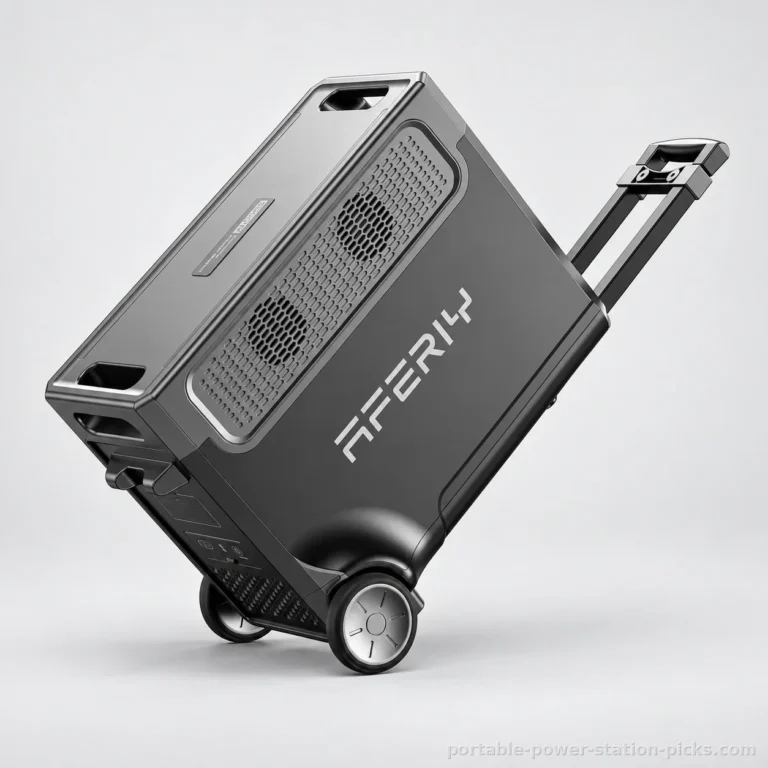
The AFERIY P310 for home backup combines rated output of 3600 W with capacity of 3840 Wh. That gives it a substantial reserve and room for a demanding appliance whose requirements remain below its limits. The GENERGY GZE-3036-PRO-S for essential appliances offers 3600 W and 3072 Wh. Both are among the strongest choices in our selection for household backup. We would favor this kind of capacity when keeping essentials running matters more than frequent carrying.
Now account for startup demand. Surge power is not rated continuous power: a motor-driven appliance requires a surge when it starts. A refrigerator compressor or motor-driven tool can briefly need more power than its normal running figure suggests. Match the appliance’s startup requirements to the station manufacturer’s instructions before depending on the combination during an outage.
Make the priority order practical. If the freezer is the essential load, leave room for its startup demand before adding another appliance. Charge personal electronics when the arrangement permits, and disconnect equipment that has finished its job. You should be able to explain what each connected device contributes. The coffee maker may have a passionate advocate; it still needs to fit the electrical plan.
Connect priority equipment individually, watching for an overload alert or an unexpected shutdown as each starts. If either occurs, disconnect the affected appliance and review the load before reconnecting. Repeatedly pressing the power button is not a power-management strategy, however persuasive it feels in a dark kitchen.
Use the right portable power station outputs at a campsite
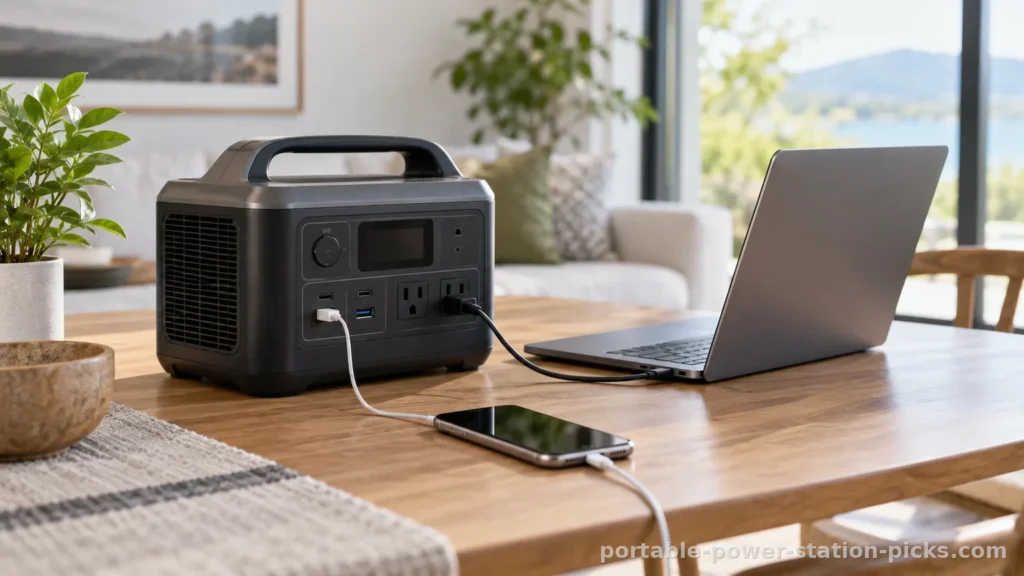
Once you know the load fits, choose the connection for each device. A phone with a compatible USB charging cable can use the appropriate USB output. A device designed for a compatible DC connection can use that connection within its electrical limits. Household plugs belong on compatible AC outlets. Match voltage, connector, polarity where relevant, and power requirements before making the connection; a plug that physically fits is only part of the answer.
Enable the output group your equipment actually uses. On stations with separate controls, switching on the main power does not necessarily energize every connection. If a laptop remains on its own battery after you connect its charger, check the relevant output control before assuming the station is empty. Turn off unused output groups when you finish, particularly AC if everything remaining uses another connection.
For frequent moves between a parking spot and a family tent, the VEVOR M6 for carrying to camp makes a clearer case than a large backup unit. Its weight is 5.80 kg, with a carrying handle suited to a short walk. Capacity of 493 Wh fits a modest collection of electronics and lighting. Its 600 W output can accommodate a suitable small refrigerator or light-duty tool, but a heating appliance falls outside its intended role.
We like that fit for a campsite where charging and lighting are the main jobs. Avoid choosing it for substantial household backup or a group of demanding appliances. Portability earns its keep only when the electrical side still matches your plans.
Organize the connections before everyone settles in. Keep the charging cables you need together, and give the station a stable resting place where its controls remain reachable. A compatible direct connection can simplify the arrangement by removing an unnecessary adapter. Follow the device’s requirements rather than choosing a port simply because it is vacant. If charging fails, work through the cable, enabled output, and device connection in that order.
Position cables so a trip to the cooler does not pull the station off its resting place. Keep connectors free of dirt and check that plugs sit securely without forcing them. Follow the manual: the station is vulnerable to rain and high heat. Keep it sheltered and charge it in a ventilated area. A shaded, dry location with clear ventilation makes more sense than tucking it under sleeping bags to hide the cables.
Set up charging before an RV stop or a storm
Organize charging before you need the stored energy. Begin with the charging method supported by the station and use the manufacturer-specified cable or compatible equipment. For wall charging, connect according to the manual and confirm that charging has started. If the station offers an adjustable charging rate, choose it around the supply and other equipment using that circuit. Do not assume the highest setting suits every outlet arrangement.
Vehicle charging needs its own compatibility check. Follow the station’s and vehicle’s instructions for the outlet, cable, and operating conditions. Treat a vehicle connection as a supported charging route with limits, rather than an automatic substitute for wall charging. Before leaving the vehicle parked, check how its accessory outlet behaves when the engine is off and follow the vehicle manufacturer’s guidance.
Solar compatibility means the station accepts suitable solar equipment. It does not establish that a panel or every connecting cable comes in the box. Confirm the included accessories before planning an RV stop around them. Then match the panel arrangement to the station’s specified input voltage, current, connector, and maximum input power. A matching connector alone does not establish electrical compatibility.
The AFERIY P310 accepts maximum solar input of 2000 W, making it the stronger choice here for a substantial panel arrangement within its electrical limits. The VEVOR M6 accepts 100 W, which better fits a supplemental panel. That difference matters if solar charging is central to your stay rather than an occasional way to replenish a smaller reserve.
Maximum solar input is not what a panel will deliver: output depends on sunlight, orientation, and the panel. Place compatible panels where they receive useful sunlight while keeping the station sheltered. Recheck the setup as shade moves across the campsite. If charging drops, inspect shading, connections, and input alerts before changing equipment. Plan essential loads around the energy already available, rather than treating tomorrow’s sunshine as electricity already stored.
Before packing, put the charging cable beside the equipment it serves. That small organizational habit matters when wall charging, vehicle charging, and solar charging involve different accessories. After connecting a source, confirm the station indicates incoming power before walking away. A cable attached at both ends can look reassuring while an incompatible connection or an inactive source leaves the battery unchanged.
Adjust standby settings so small devices keep charging overnight
A low-demand device can expose a setting you barely noticed during setup. Some stations switch off an output after demand stays low, or shut down after an inactivity period. A phone nearing a full charge may draw much less power than it did when first connected. If charging stops while the station still has energy remaining, inspect output status and any standby or low-load settings described in its manual.
Change settings to support a specific job. If an available timeout would interrupt your intended overnight connection, adjust it according to the instructions. Afterward, confirm that the relevant output remains enabled with that device attached. Avoid borrowing a setting sequence from a different model: control names, available adjustments, and shutdown behavior can differ. Keep the manual close during the initial configuration.
A minimum battery reserve, where available, can preserve energy for later priorities. Decide what you want that reserve to accomplish before choosing it. At camp, you might want charging capacity left for morning phones. During an outage, you might prefer to stop discretionary use before the remaining energy becomes scarce. A reserve setting manages access to the battery; it does not add capacity.
The AFERIY P310 supports Wi-Fi connectivity. An app can be useful for the controls and status information its manufacturer actually provides, but connectivity alone does not establish remote output control, adjustable reserves, or particular standby options. Configure the supported functions while you have time to learn them. Keep the station’s physical controls accessible when arranging it beside furniture or RV storage.
Change a setting, then observe the behavior it was meant to address before adjusting another. If you alter the timeout, reserve, and output selection together, a later shutdown becomes harder to explain. Write down the settings that suit your usual arrangement. A camping configuration centered on small electronics may need a different approach from an outage configuration centered on a refrigerator.
We like a simple operating routine: review remaining charge, switch off finished loads, and leave only the outputs needed for the next part of the evening. If a small device repeatedly loses power, investigate the relevant output and timeout behavior before adding more equipment. There is little benefit in a beautifully organized cable arrangement if the lamp goes dark because an overlooked setting decides bedtime for you.
Manage backup power when the freezer and battery both need attention
Once equipment is running, use the station’s available battery and power indicators to guide priorities. A rising load can explain why remaining charge falls faster than expected. Refrigerator compressors also cycle, so the demand visible at a particular moment does not describe the entire evening. Watch the pattern and reduce optional loads early rather than waiting for an abrupt shutdown.
Battery capacity is a planning reference, not a promised appliance runtime. Conversion losses and the station’s own consumption reduce the energy available to connected equipment. That is a practical limitation of the GENERGY GZE-3036-PRO-S despite its substantial 3072 Wh reserve. We would put its capacity toward priority appliances and keep discretionary equipment disconnected when preserving energy matters.
Use any remaining-time estimate as a changing guide. Connecting another appliance, a compressor starting, or a device finishing its charge can alter the demand behind that estimate. Keep checking the remaining battery level alongside the equipment actually running. The useful question is which load you would disconnect next if the outage continues. Decide while you still have room to act.
Placement matters just as much as settings when preparing home backup. The AFERIY P310 weighs 42 kg and includes a telescopic handle. Its weight favors rolling over carrying, and lifting it into a vehicle remains a serious drawback. Choose its working location before an outage, with accessible controls and ventilation. Do not make a heavy lift part of your emergency routine if you can organize the space beforehand.
Both the P310 and GENERGY support an optional expansion battery. That can suit a plan requiring more stored energy, but use the manufacturer’s specified compatible equipment and connection procedure. Additional storage does not by itself raise the main station’s rated output. Keep the distinction between capacity and power in view when choosing an expansion.
Connecting it to home electrical wiring requires an electrician and manufacturer-specified equipment. Never use an improvised outlet connection. Plan around selected appliances rather than expecting a portable station to take over every household circuit.
If an alert appears, stop the affected operation and follow the manual’s response before reconnecting. Damaged cables, loose connections, unusual heat, or repeated shutdowns call for attention, not persistence. After use, turn off unnecessary outputs, inspect cables, and recharge and store the station according to its instructions. Keeping the setup organized makes the next outage less of a scramble.
Frequently asked questions
Can you leave a portable power station plugged in all the time?
Follow the model’s instructions for continuous connection and storage. Solar compatibility, a large battery, or app connectivity does not establish suitability for permanent wall connection. For occasional outage use, organize a charging routine around the manufacturer’s guidance and keep ventilation clear.
Can you use a portable power station while it is charging?
Use charging and output simultaneously only when the manufacturer supports that arrangement, within its stated limits. Support for simultaneous operation does not establish uninterrupted backup behavior. For an appliance that must remain powered through an interruption, choose equipment with explicitly documented support for that requirement.
Why does a portable power station shut off while charging a phone?
A low-load cutoff or standby timeout may switch off the output as the phone’s demand drops. Check the output status and the manual’s supported settings. Adjust the relevant control if available, then confirm that charging continues with your device connected.
Can a portable power station power a refrigerator?
Yes, when its continuous output and startup capability match the refrigerator’s requirements. The AFERIY P310 and GENERGY GZE-3036-PRO-S are better suited here to demanding appliances and home backup. Battery capacity alone cannot establish refrigerator compatibility or promise how long it will run.
What should you confirm before choosing a portable power station?
Confirm included cables and panels, battery chemistry, carrying weight, warranty coverage, support arrangements, and return terms. Solar compatibility does not mean a panel is included. If you want additional storage, the AFERIY P310 and GENERGY GZE-3036-PRO-S support an optional compatible expansion battery.
Was this article helpful?
0% of readers found it useful (0 reviews)